
Bonafide Request Generator
Purpose chuno (scholarship, bank account, passport, bus pass…) + apne details bharo — tool turant Hindi ya English me ready bonafide request letter bana dega, sahi formal format me. Phir Copy karke WhatsApp/Word me bhejo ya Print karke school/college office me jama karo. Saara kaam tumhare browser me hota hai — koi data save ya upload nahi hota.
Zyadatar schools me English application chalti hai; kuch government offices Hindi maangte hain — dono ready hain.
School record wala exact naam — certificate pe yahi print hoga.
Purpose “Other” chuna ho to ye field zaroori hai — 1 line me clear likho certificate kis kaam ke liye chahiye.
Disclaimer: ye tool application ka draft banata hai — bonafide certificate issue school/college office hi karta hai. Har institution ke apne forms/fees ho sakte hain; jama karne se pehle apne school/college office se confirm karo. Koi data server pe save ya upload nahi hota.
Bonafide Request Generator — 2 Min Me Ready Application
Scholarship ka form bharna ho, bank me account khulwana ho, passport ke liye apply karna ho, ya student bus pass banwana ho — har jagah ek hi paper maanga jata hai: bonafide certificate. Aur certificate nikalwane ke liye school ya college office me pehle ek sahi format ki request application deni padti hai. Yahi chhoti si application aksar badi dikkat ban jaati hai — “bonafide ke liye application kaise likhein?” har scholarship season me hazaaron students Google pe search karte hain. Cyber cafe wale ek page type karne ke 30-50 rupaye lete hain, phir bhi format me galti reh jaati hai — kabhi subject line missing, kabhi purpose clear nahi likha, kabhi casual language me “sir please” jaisa tone.
Isi dikkat ko khatm karta hai Bonafide Request Generator — upar diya gaya free tool. Purpose chuno (scholarship, bank account, passport, bus pass, admission…), apne details bharo, Hindi ya English chuno — tool turant ready-to-submit bonafide request letter bana dega, bilkul formal format me. Phir Copy karke WhatsApp pe bhejo ya Print karke seedha school/college office me jama karo. 2 minute ka kaam, zero kharcha, aur format me koi galti nahi.
Quick Info: Ye tool bilkul free hai, koi signup ya login nahi chahiye. Saara kaam aapke phone ya computer ke browser me hota hai — aapka naam, school ya mobile number server pe save ya upload nahi hota. Yaad rakhe: tool application ka draft banata hai; bonafide certificate issue hamesha school/college office karta hai. Har institution ke apne forms aur fees ho sakte hain, isliye jama karne se pehle apne office se confirm zaroor karo.
Bonafide certificate kya hai — aur kahan-kahan chahiye
Bonafide certificate ek official paper hai jo school ya college deta hai — isme likha hota hai ki tum us institution ke wastavik (genuine) student ho, kaunsi class me padhte ho, kaunsa session chal raha hai. “Bonafide” ka matlab hi hai “asli/genuine”. Jahan bhi tumhe apni student identity prove karni ho, wahan ye certificate kaam aata hai. Neeche table me dekho kaunse kaam me ye sabse zyada maanga jata hai:
| Kaam | Bonafide kyun maanga jata hai | Purpose detail me kya likho |
|---|---|---|
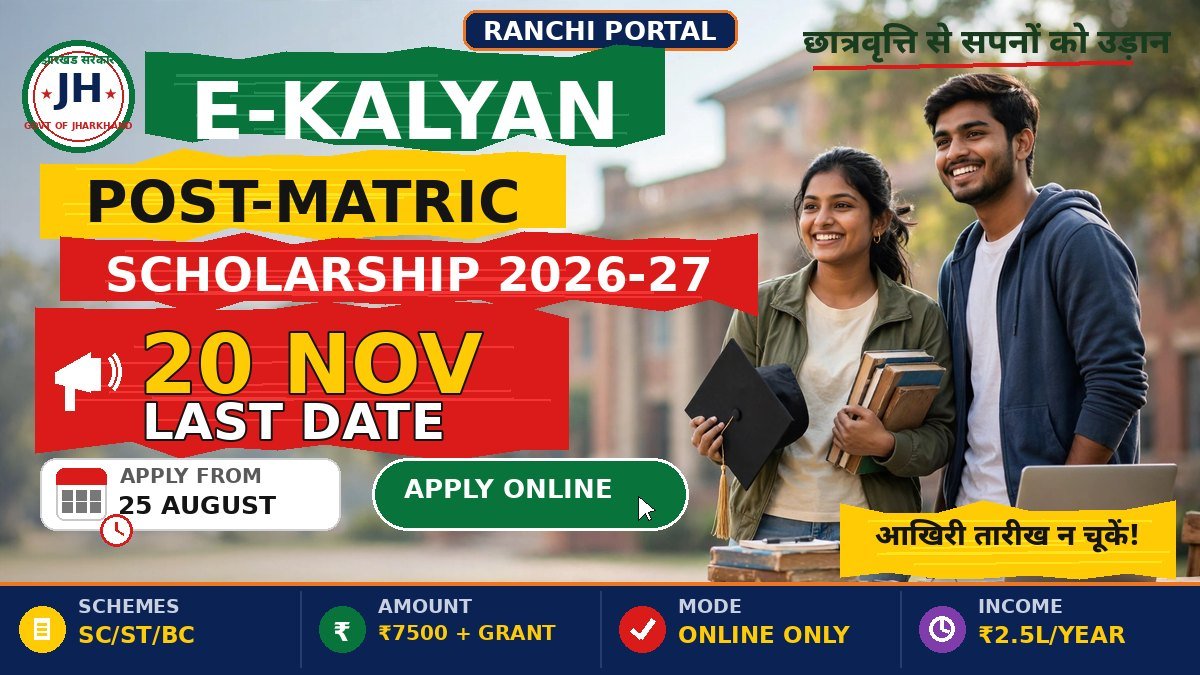
| Scholarship form (E-Kalyan / Post-Matric) | Scheme me apply karne ke liye student hone ka proof chahiye hota hai — bonafide sabse aam supporting document hai | Scheme ka poora naam, jaise “E-Kalyan Post-Matric Scholarship 2025-26” |
| Bank account khulwana | Student ya zero-balance account ke liye identity + student status ka proof | “Bank me student account khulwana” — detail optional |
| Passport application | Identity ke supporting document ke taur pe lagta hai | “Passport application” — detail optional |
| Student bus / train pass | Concession wale pass ke liye college ka proof zaroori hota hai | Route ya pass ka type, jaise “Ranchi–Hatia student bus pass” |
| Admission (naye college me) | Pichle institution ka student hone ka proof maanga jata hai | “Naye college me admission” — detail optional |
| Internship / part-time job | Employer tumhara student status confirm karna chahta hai | Company ya internship ka naam, jaise “summer internship application” |
Ek practical baat: kuch kaamon me bonafide ke saath ID card ya admission receipt ki photocopy bhi maangi jaati hai. Office jaane se pehle poori document list confirm kar lena — ek chakkar me kaam ho jayega, do chakkar nahi lagenge.
Request letter me kya-kya hona chahiye (checklist)
Ek sahi bonafide request letter me ye 7 hisse zaroori hain — tool in sab ko automatically lagata hai, lekin samajh lo taaki kabhi haath se likhna pade to galti na ho:
| Hissa | Kya likhna hai | Kyun zaroori hai |
|---|---|---|
| Sender address | Tumhara naam, class, roll no + school ka naam, shehar | Office ko pata chale certificate kaun maang raha hai |
| Date | Application likhne ki date | Record me entry date ke hisab se hoti hai |
| To block | The Principal / Registrar + school ka naam | Letter sahi authority tak pahunche |
| Subject line | “Request for Bonafide Certificate” | Bina subject ke file galat department me ja sakti hai |
| Purpose | Certificate KIS KAAM ke liye chahiye — clear 1 line | Ye letter ka sabse important hissa hai; kai certificates pe purpose print hota hai |
| Closing | “Thanking you” + “Yours obediently” + naam, class, roll no | Formal format poora hota hai |
| Signature | Print ke baad haath se sign | Bina signature application adhoori maani jaati hai |
Tool kaise use karein (step-by-step)
Step 1 — Purpose chuno. Dropdown se select karo certificate kis kaam ke liye chahiye — scholarship, bank account, passport, bus/train pass, admission, internship, ya Other. Select karte hi neeche us purpose ka hint dikhega — jaise scholarship ke liye “purpose detail me scheme ka naam likhna mat bhoolo”. Hint padh lo, taaki confirm ho jaye sahi option chun rahe ho.
Step 2 — Bhasha chuno. English ya Hindi — radio button se select karo. Zyadatar schools me English application chalti hai, lekin kuch government offices Hindi maangte hain. Dono versions ka format bilkul formal hai — Hindi wala “seva me / shreemaan / sadhanyavaad” style me, English wala “To / Respected Sir/Madam” style me.
Step 3 — Kisko bhej rahe ho, woh chuno. The Principal (aam taur pe sahi option), ya Registrar / Headmaster / Class Teacher / Director — jisko application deni hai, wahi select karo.
Step 4 — Details bharo. Naam (school record wala exact naam — certificate pe yahi print hoga), pita/guardian ka naam, class/course, roll no, session, school ka naam, shehar. Mobile number optional hai — dena ho to 10-digit sahi wala do (tool format check karta hai). Purpose detail me scholarship ka naam ya specific kaam likho — jaise “E-Kalyan Post-Matric Scholarship 2025-26”. Purpose “Other” chuna ho to ye field zaroori hai.
Step 5 — “Letter Banao” dabao. Tool turant poora letter bana dega — sender address upar, date, “To” block, subject line, body me tumhara purpose, aur “Yours obediently / Bhavadeeya” ke saath signature block. Pehli baar hai to “Sample Data” dabao — demo details bhar jayengi aur ek poora scholarship-purpose letter dikhega; samajh aane ke baad Reset karke apna data bharo.
Step 6 — Copy ya Print karo. Copy Text se letter clipboard me jayega — WhatsApp pe bhejo ya Word me paste karke print nikalo. Print Letter se seedha printer-friendly page khul jayega. Print nikalne ke baad neeche haath se sign karo — bina signature ke application adhoori maani jaati hai.
Bonafide application me 6 common galtiyan (aur unke fix)
1. Purpose hi na likhna. “Bonafide certificate chahiye” — lekin kis kaam ke liye? Kai institutions certificate pe purpose mention karte hain, aur bina purpose ke office application wapas kar deta hai. Fix: tool me purpose dropdown se chuno aur purpose detail me specific kaam likho — jaise scholarship ka poora naam.
2. Naam ki spelling record se alag likhna. Application me “Rahul Kumar” aur school record me “Rahul Kr.” — aise mismatch pe office objection laga deta hai, aur certificate pe galat naam print ho jata hai. Fix: naam wahi likho jo admission register / marksheet pe hai. Agar certificate ya record me hi naam galat hai to pehle Name/DOB Correction Letter Generator se correction letter banao.
3. Subject line bhool jana. Bina subject ke application office me “ye kis kaam ke liye hai” wala confusion paida karti hai — kabhi-kabhi file hi galat department me chali jaati hai. Fix: tool har letter me subject line auto lagata hai (“Subject: Request for Bonafide Certificate”).
4. Purana session ya galat roll no. likhna. Pichle saal ka session likh diya ya roll no me ek digit galat — certificate galat print hoga aur dobara office ke chakkar lagenge. Fix: current session (jaise 2025-26) aur admit card wala roll no likho; letter banne ke baad ek baar padh ke verify karo.
5. Mobile number galat format me dena. Office ko kabhi tumse contact karna pade (certificate ready hone pe) to galat number pe call nahi lagega. Fix: tool 10-digit validation karta hai — 6-9 se shuru hone wala sahi number do, ya field khaali chhod do.
6. Print ke baad sign karna bhool jana. Typed application pe haath ka signature zaroori hai — bina sign ke kai offices application accept hi nahi karte. Fix: print nikaalne ke baad neeche apne haath se sign karo. Saath me ID card ya admission receipt ki photocopy attach karna mat bhoolo jahan maangi jaye.
Pro tips — certificate jaldi nikalwane ke liye
Tip 1: Application hamesha 2 copy me le jao — ek office me jama, doosri pe receiving stamp + sign lekar apne paas rakho. Baad me “application di hi nahi thi” wala jhanjhat khatm.
Tip 2: Scholarship season (aam taur pe July–September) me office me bheed hoti hai — form ki last date se 2-3 hafte pehle application de do. Last week me office wale “time nahi hai” keh dete hain.
Tip 3: Bonafide nikalwane jao to ID card ya admission receipt ki photocopy saath rakho — office wale record match karte hain; photocopy se kaam tez hota hai.
Tip 4: Kuch colleges me bonafide ke liye prescribed form + chhoti fee hoti hai — application dene se pehle office se puch lo ki form bharna hai ya sirf application kaafi hai. Dono ready rakhne me nuksaan nahi.
Tip 5: Certificate milne pe turant check karo — naam ki spelling, class, session, aur office ki seal + sign. Galti office me khade-khade batana aasaan hai; ghar jaake wapas aana mushkil.
Tip 6: Bank ya passport jaise kaam ke liye certificate nikalwa rahe ho to unke office se puch lo unhe kitna recent certificate chahiye — har jagah ka rule alag ho sakta hai, aur purana certificate reject ho sakta hai.
FAQs — Bonafide Request Generator
Q1. Kya ye tool bonafide certificate issue karta hai?
Nahi — ye tool application ka draft banata hai. Certificate issue hamesha school/college office karta hai. Ye letter tum office me jama karte ho, uske baad office apne process (form + fee + verification) se certificate deta hai. Bina office gaye certificate nahi milta.
Q2. Hindi aur English dono me letter ban sakta hai?
Haan — tool me language toggle hai. English me “To / Respected Sir/Madam / Yours obediently” format, Hindi me “Seva me / Shreemaan / Sadhanyavaad / Bhavadeeya” wala formal format. Dono bilkul official style me hain.
Q3. Scholarship ke liye bonafide me purpose me kya likhun?
Purpose detail field me scheme ka poora naam aur session likho — jaise “E-Kalyan Post-Matric Scholarship 2025-26”. Kai scholarship offices certificate pe scheme ka naam dekhna chahte hain; generic “scholarship ke liye” se kaam atak sakta hai. Jharkhand scholarship ki eligibility pehle E-Kalyan Eligibility Matcher se check kar lo.
Q4. Bonafide certificate nikalwane me kitna time lagta hai?
Har institution ka apna process hai — kahin same-day mil jata hai, kahin 2-3 din lagte hain. Isliye last date ka wait mat karo; kaam pata chalte hi application de do. Urgent ho to application jama karte waqt office me politely bata do — aksar kaam jaldi ho jata hai.
Q5. Kya mera naam aur mobile number server pe save hoga?
Bilkul nahi — poora letter tumhare browser me banta hai. Naam, school, mobile number kuch bhi server pe upload ya save nahi hota. Page band karte hi sab kuch tumhare device se chala jata hai.
Q6. Purpose “Other” chuna hai — detail me kya likhun?
1 line me clear likho certificate kis kaam ke liye chahiye — jaise “driving licence ke liye address proof” ya “hostel admission ke liye”. Ghuma-phira ke mat likho; office wale 30 second me application scan karte hain.
Q7. Certificate milne ke baad kya-kya check karun?
Chaaron cheezein: naam ki spelling (record wali), class aur session (current), office ki seal aur sign, aur purpose (agar mention hai to). Koi galti dikhe to wahin khade-khade batao — baad me correction me dobara chakkar lagenge.
Q8. TC ya doosre certificate ka application bhi chahiye to?
TC Application Letter Generator se TC, character, migration, provisional aur 6 aur tarah ke ready application letter banao — same format, same 2-minute process. Aur certificate me naam ya date ki galti ho to Name/DOB Correction Letter Generator dekho.
Related tools
School/college ke aur kaam ke tools: TC Application Letter Generator se 10 tarah ke ready application letter banao, Name/DOB Correction Letter Generator se certificate me naam ya janm-date ki galti ka correction letter banao, aur E-Kalyan Eligibility Matcher se Jharkhand scholarship ke liye apni eligibility check karo.
Result season me latest board aur university results yahan check karo, admit card aaye to admit card updates time pe dekho, aur padhai ke baad career ke liye latest sarkari recruitments par nazar rakho. Yaad rakho — sahi format ki application aadha kaam wahin kar deti hai; baaki aadha time pe follow-up ka hai.